
Teach. Track. Improve.
VITL is a secure cloud app for verbal-behavior programs. It keeps each learner's plan, runs discrete-trial sessions across an instructor device and a student device, records every trial as it happens, and turns that record into a live progress report.
- Two devices, one session: the instructor scores, the learner sees only the teaching field
- A curated library of skills, pictures and videos, organized by program
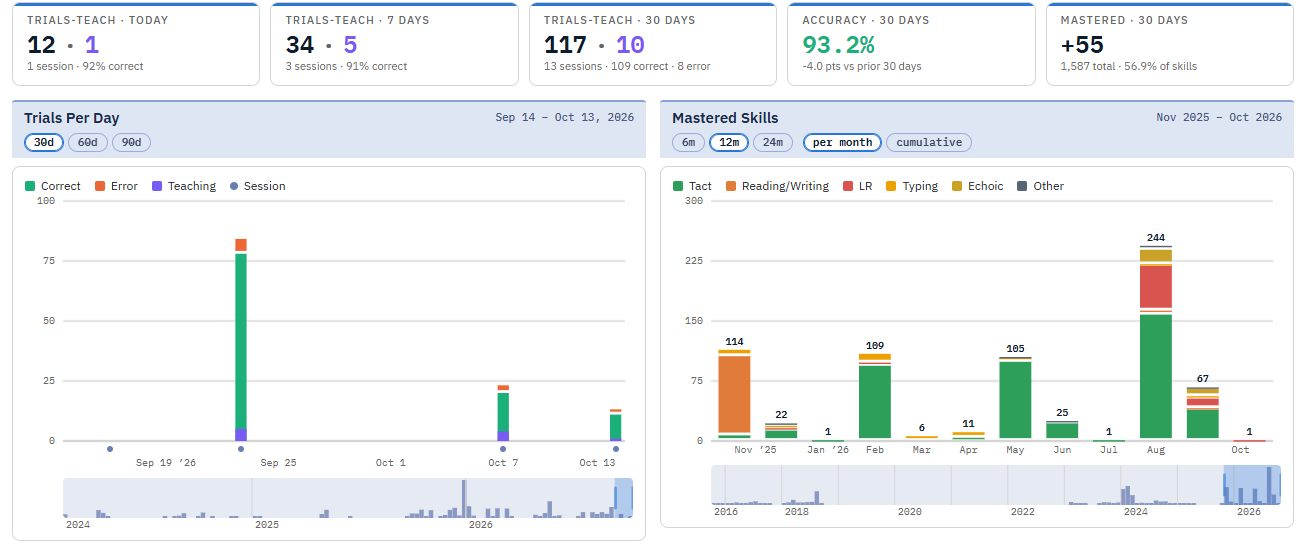
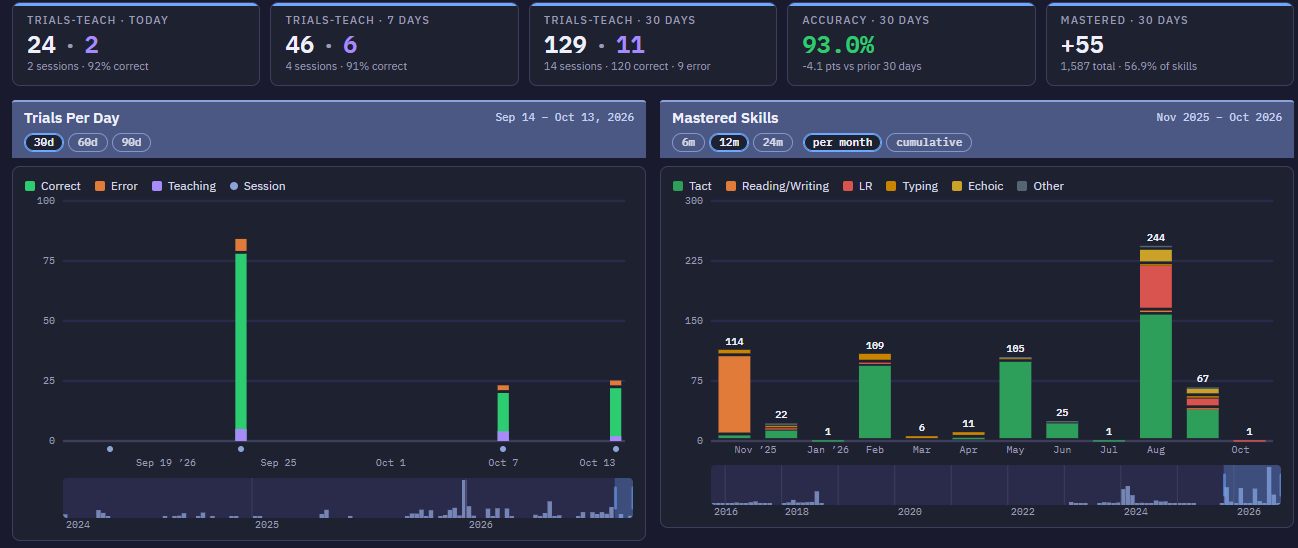
- Progress you can see the same day, built from every trial
One loop, from plan to progress
Plan the program, teach it, and see what changed — all from the same record.
Plan
Build each learner's plan from a curated skill bank. Programs sit on VITL's VB-ISA framework, so it is clear what comes first and what is ready next.
Teach
Run discrete-trial sessions on two devices. VITL deals each session from the plan, prompts the instructor and keeps the pace.
Review
Every trial is saved with its skill, picture and result. The dashboard and the Progress Report update from that same data.
What's new in VITL
A year of improvements, shaped by daily use in the clinic.
A live Progress Report
Always current: an executive summary, the VITL score, progress charts and a map of every program. Download it to share with the team.
Baseline and placement
Probe new skills before teaching them, and let the learner's answers show where to start across programs.
Faster onboarding
A Skills Wizard, spreadsheet import and copy-by-level get a new learner's plan running quickly. A short in-app tutorial covers the first week.
Session recovery
If a device drops or a tab closes mid-session, the trials so far are kept. Resume the session, or take it over on another device.
The learner's own pictures
Add photos of the learner's own cup, pet or family for the skills that need them. Personal photos stay private to that learner.
Plans that stay accurate
Set aside a skill that isn't right for a learner, let technicians flag one for the instructor, and report a bad picture straight to the content team.
Student data stays in VITL
Staff see only the learners they work with, staff sign-in can require a second step, and access to student records is logged. VITL does not send student data to AI services for analysis or recommendations.
Take a closer look
Teaching screens
What the instructor and the learner see, program by program.
View examples →Progress & data
The dashboard, session history and the Progress Report.
See the data →VB-ISA framework
How VITL orders programs and decides what is ready next.
Learn more →VITL and AI
Why student data is not sent to AI, and where recommendations come from.
Read more →See VITL with your own team
Ask for a walkthrough, or sign in if your clinic already uses VITL.